
Automatic setup of Tag and Asset
Install via the UI (interactive), command line (quiet, no interaction), or through an Enterprise Device Management (EDM) (such as Microsoft's Intune to push to multiple machines) options.
During the installation, the Troverlo Autonomo Service will discover device information and automatically create the Asset in the Troverlo Data platform.
We will gather the Device's :
- MAC address (this is called the Tag ID)
- Hostname (this is used as the Asset name)
- Serial Number
- Make
- Model
- OS info
- Bios Device ID
- Chipset and Driver version used for Wi-Fi
- Intune's Device ID (if you have enrolled your device in that EDM).
These are all presented in the Asset details page as shown below:
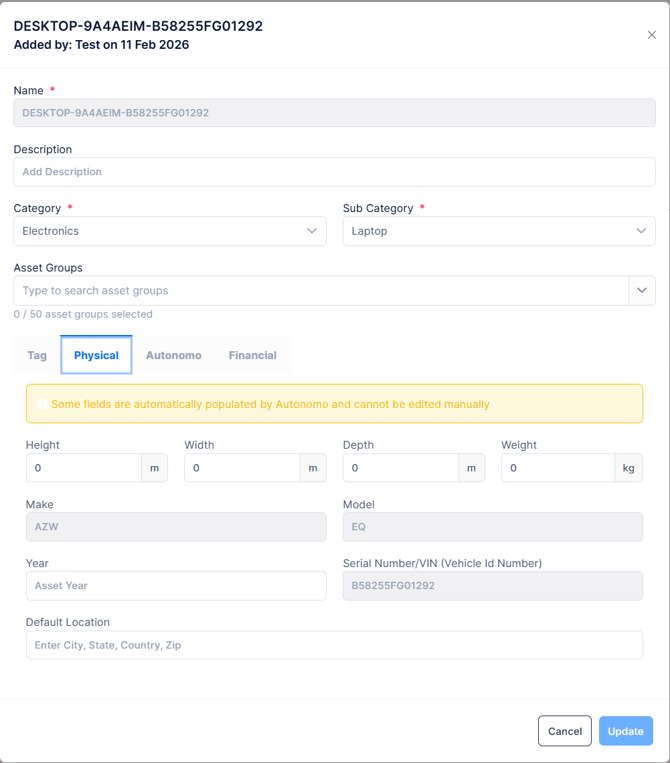
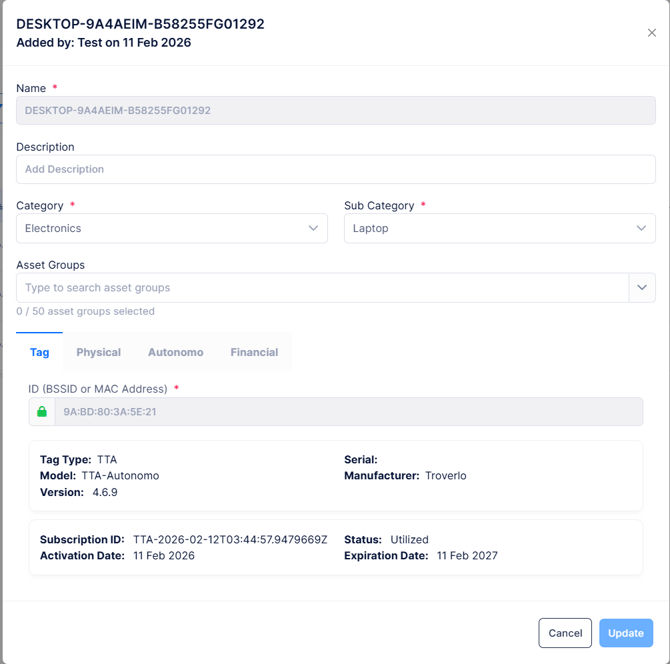
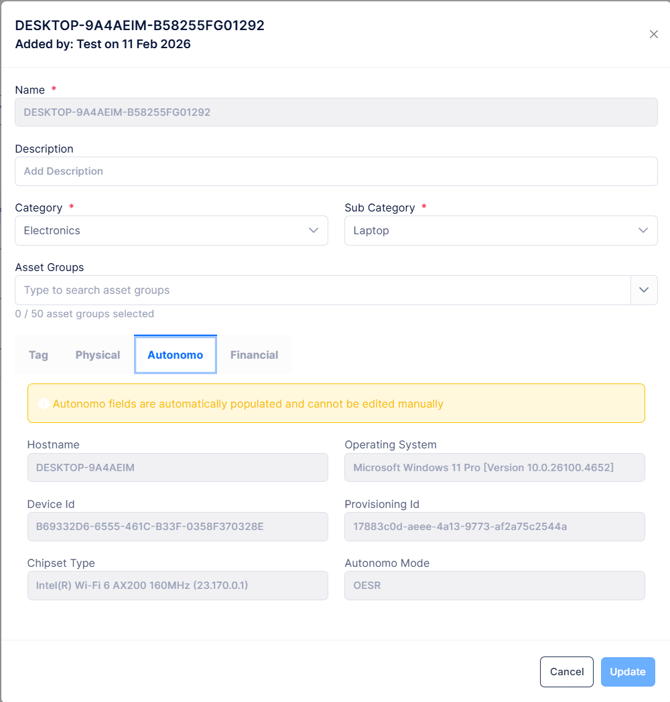
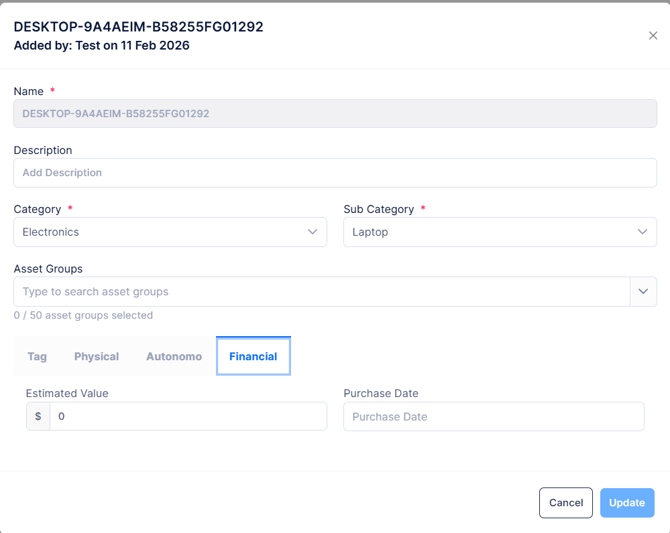
As part of creating the Asset
- A virtual Tag will be created based on the device's MAC address and associated with the Asset
- A Subscription will be created based on the Tag Type (TTA) and associated with the Asset
- The Asset will be put into the "Active" state, the Tag will be put into the "Utilized" state and the Subscription will be put into the "Utilized" state.
After the Troverlo Autonomo Service has created your Tag and Asset, it will start reporting the location of this Asset and scan for other Troverlo Tags when connected to Wi-Fi or send out Wi-Fi beacons to advertise its location so other Troverlo Autonomo, Troverlo Tag Readers and Troverlo mobile apps can detect and report the location of your Asset securely to the Troverlo Data platform.