Background
API tokens authorize a developer to use Troverlo platform's API endpoints with respect to a specific tenant (ie customer).
The API token also authorizes specific endpoints that can be used.
Who can create API tokens?
Users with an Admin role.
How to create an API token?
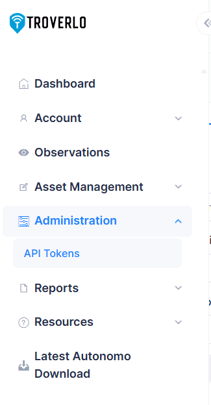
Navigation
Administration -> API Tokens
Steps
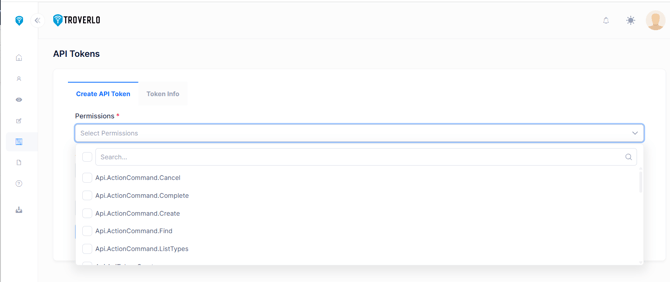
1. Select the API endpoints that this token will be authorized to use.
Click on down arrow on right side of Permission - this is a multi-select drop list.
Any API endpoint that is selected, the user of this API token will be authorized to use.
3. Set the expiration for the access token - default is 1, max is 30 days (check box on right).
The up/down arrows on the right side can adjust the number or the desired number can be entered.
4. Set the expiration for the refresh token - default is 365, max is 18,250 days (check box on right).
The up/down arrows on the right side can adjust the number or the desired number can be entered.
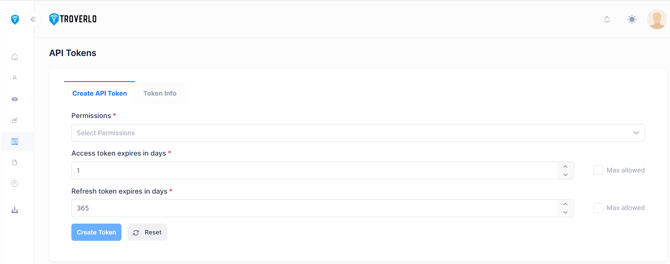
5. Click on Create Token.
A green box with success or red with error will be shown on the bottom right.
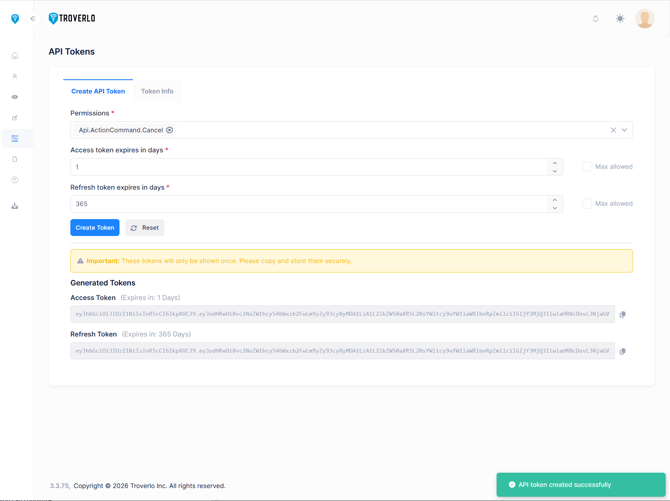
Copy both the Access and the Refresh token.
Important: These tokens will only be shown once. Please copy and store them securely.
How to review or revoke a token?
Navigation
Administration -> API Tokens.
Steps
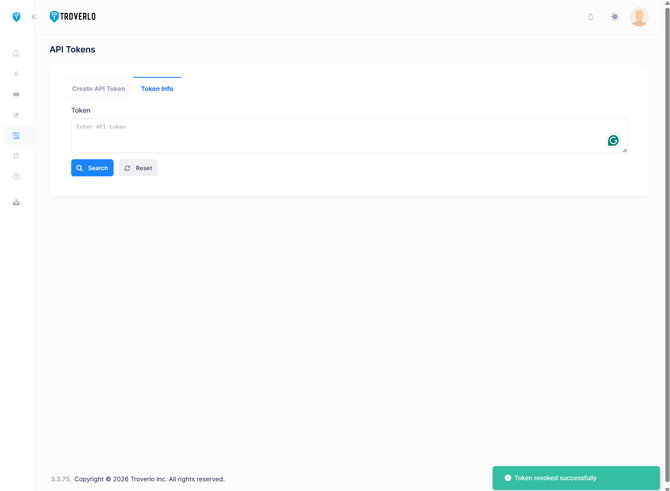
1. Click on the "Token Info" tab.
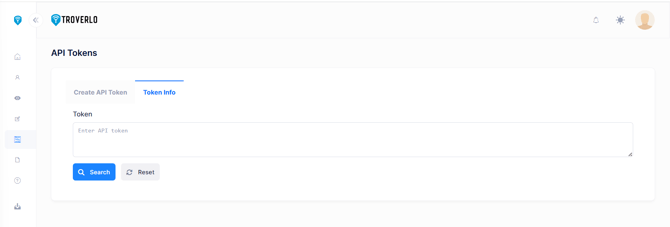 2. Enter the token into the Token field.
This provides the Validity Key, Expiration Date and Permissions (API endpoints that are authorized for this token).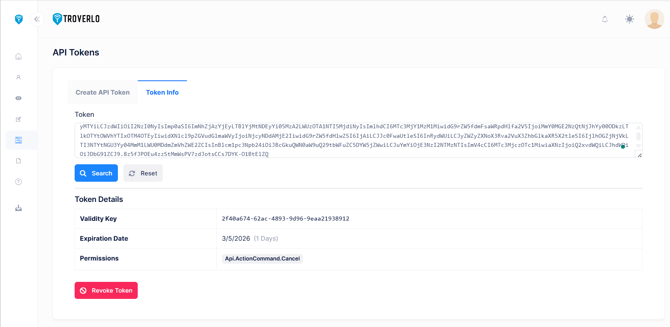 3. If To revoke this token, press the "Revoke Token" button.
A green box with success or red with error will be shown on the bottom right.
NOTE: Once a token is revoked; it will no longer be available for use.